
Logging Into Your Vintage Accessories Account: A Calm Collector’s Guide
You've just spent a quiet Sunday afternoon carefully polishing a 1920s celluloid hair comb and untangling the silk ribbons of a Victorian mourning bonnet. The last thing you need is a frustrating login page that refuses to recognise your password. Over the years, I've heard from many readers who keep their treasured collection in a physical box but feel locked out of the digital side of their hobby. Let me walk you through a calm, methodical approach to logging into your account on a vintage accessories website — whether you've been collecting for decades or just bought your first Edwardian hairpin last week.
Why a Smooth Login Matters for the Vintage Enthusiast
Your account is more than a gate to checkout. It is where you save your favourite Art Deco tortoiseshell combs, track the restoration progress of a 1930s hair net, or revisit the detailed description of that rare bakelite slide you bought at a Brighton flea market. A reliable login process lets you keep your wishlist organised, access past order records for insurance valuations, and receive early notifications about new stock that matches your specific era of interest. Think of it as the digital equivalent of a well-kept hat box: everything is in its place, and you can open it without fuss.
The Most Common Login Hurdles — and How to Overcome Them
Even the most careful collector can trip over a forgotten email address or a misplaced password. Here are the typical issues I see, along with practical solutions that respect your time and your nerves.
1. You Cannot Remember Which Email You Used
Many of us have two or three email addresses — one for work, one for personal correspondence, and one that seems to collect only newsletters. If you registered your account a few years ago, the email might be buried in memory. Try the following:
- Search your inboxes for the phrase "welcome" or "account confirmation" from the vintage accessories site. Even an old order confirmation will show your registered email.
- Check your browser’s saved passwords. In Chrome or Safari, go to Settings > Passwords and look for the site’s domain. The associated email address is usually displayed there.
- If you have changed email providers since registration, use the “Forgot email” or “Need help?” link on the login page. Most sites will ask for your full name and perhaps a previous order number to retrieve the account.
2. The Password Is Not Working
Passwords have a habit of slipping away just when you need them. Before you reset, consider these possibilities:
- Check that Caps Lock is off. Vintage aesthetics may be dramatic, but passwords are always case-sensitive.
- Look for any trailing spaces — copy-pasting a password from a note can sometimes include an invisible space.
- If you use a password manager, verify that it is filling the correct entry for the correct site. A similar domain (e.g., .co.uk vs .com) can cause mismatches.
If none of these help, use the “Reset password” option. A good vintage accessories site will send a reset link within a minute or two. Make sure to check your spam folder — sometimes these emails arrive with a subject line that looks automated and gets filtered out.
3. Two-Factor Authentication (2FA) Is Blocking You
Some specialist dealers now offer 2FA as an extra layer of security, especially for accounts that store payment details or high-value items. If you have enabled it but cannot access your authenticator app, most sites provide backup codes during setup. Dig out that printed slip or the screenshot you saved. If you have lost the codes, contact customer support directly — a reputable dealer will verify your identity via a recent order or a piece of personal information you provided at registration.
Step-by-Step: A Calm Login Routine
To make the process feel as soothing as polishing a mother-of-pearl hairpin, follow this sequence:
- Open a fresh browser window. Clear any cached cookies for that specific site if you have been trying repeatedly — sometimes a stuck session prevents a clean login.
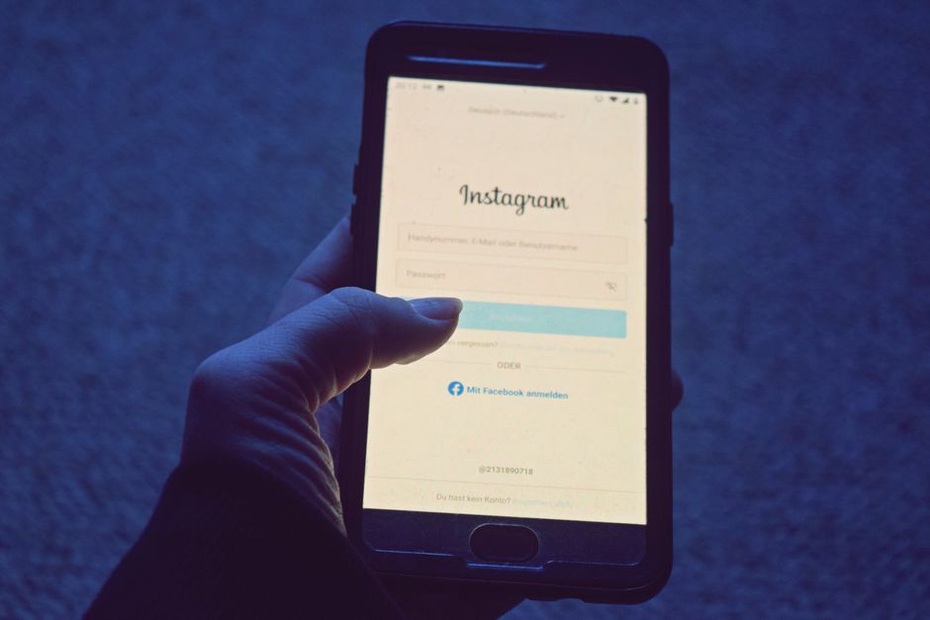
- Locate the “Sign In” or “Account” link. It is usually in the top right corner of the homepage. Click it once and wait for the page to load fully.
- Enter your email address. Type it slowly, especially if you use a domain like “btinternet.com” or “icloud.com” where autocorrect might interfere.
- Enter your password. If you are unsure, click the eye icon (if available) to reveal the characters and check for typos.
- Click “Log In” and wait. Do not refresh the page. Some sites load account dashboards with multiple images of vintage pieces, which can take a few seconds on a slower connection.
- If you see an error, read it carefully. “Invalid email or password” usually means one of the two is wrong. “Account locked” means too many failed attempts — wait 15 minutes before trying again.
What to Do When You Are Still Locked Out
Sometimes technology is simply uncooperative. If you have tried all the standard recovery options and still cannot access your account, do not despair. Here is what I recommend to readers who write to me in frustration:
- Contact the site’s support team via a different channel. If the website offers a phone number or a live chat, use that instead of email. A real conversation often resolves issues faster.
- Have your details ready. Your full name, the email address you believe you used, your shipping address, and the date of your last order (or any order number). This proves you are the legitimate account holder.
- Ask about merging accounts. If you accidentally created two accounts (one with an old email and one with a new one), support can often merge them so you do not lose your wishlist or order history.
I once spent three days trying to recover an account that held photographs of a rare 1940s snood collection. The solution turned out to be simple: I had registered with a plus-addressed variant of my email ([email protected]) that my email provider still received, but the site treated as a separate address. A quick call to the dealer’s support team sorted it in five minutes.
Keeping Your Account Safe Without Losing Access
Security and convenience can coexist. Here are a few habits that help me and many of my readers:
- Use a password manager. It generates and stores strong, unique passwords for each site. You only need to remember one master password.
- Update your email address promptly. If you change your primary email, update it in your account settings before the old one becomes inactive.
- Save backup codes in a physical place. A small notebook kept with your vintage collection works beautifully — it stays offline and safe.
- Enable login notifications. Some sites can email you whenever a new device accesses your account. This gives you peace of mind without extra effort.
I keep a tiny leather-bound journal next to my hair comb display stand. Inside, I note the date I registered on each site, the email used, and a hint for the password (never the password itself). It feels appropriately old-fashioned and has saved me more than once.
A Final Word on Patience and Paper Trails
The beauty of vintage accessories lies in their history and the care they require. A 1920s hair comb needs gentle handling; a 1950s velvet bow needs storage away from direct light. Your account login deserves the same thoughtful attention. When you approach it with a clear head, a checklist of possible solutions, and a willingness to contact a real person for help, you will rarely stay locked out for long. And once you are inside, the pleasure of browsing a new arrival of Edwardian hair sticks or a freshly listed 1970s resin hair claw is all the sweeter for the little journey it took to get there.